This guide outlines how to quickly activate AI agents on the ServiceNow platform.
Moving from rigid, deterministic workflows to flexible, agentic ones enables more intelligent, context-aware business processes.
Using the AI Agent Studio and out-of-the-box (OOB) agentic workflows, organizations can deploy powerful capabilities—such as automated incident resolution and intelligent task prioritization—in under 30 minutes.
Key requirements include a Now Assist subscription, Zurich Patch 5 (or later), and a clear understanding of user access versus data access for security.
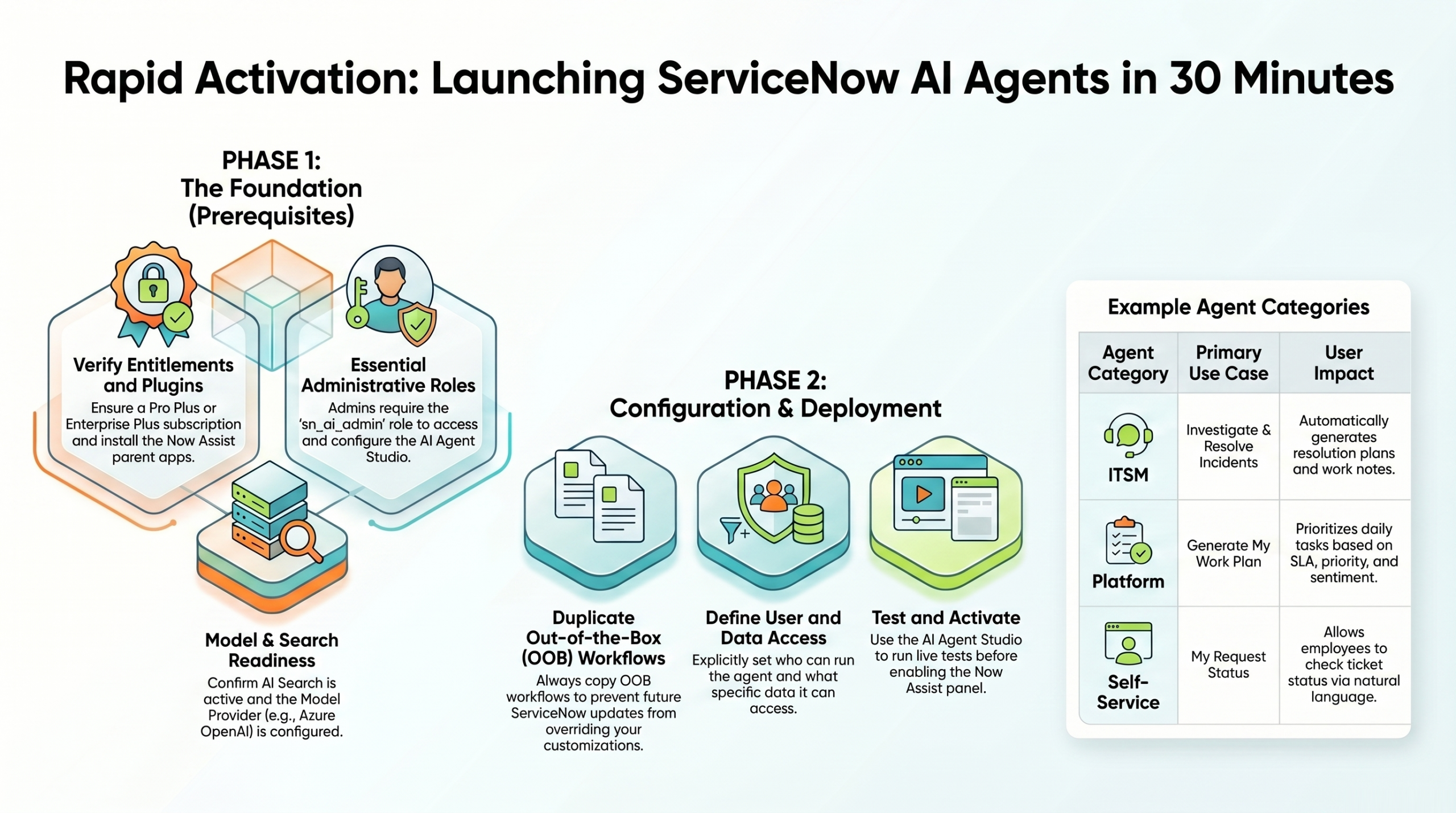
1. Foundational Requirements and Prerequisites
Licensing and Software
- Subscription: Requires a “Now Assist” subscription (typically included in Enterprise Plus or Pro Plus plans).
- Instance Version: Zurich Patch 5 or later is the baseline for full AI agent functionality.
- Store Applications: Install the parent Now Assist apps for relevant modules (ITSM, HR, CRM, etc.). It is recommended to install the full Now Assist Suite to automatically handle dependencies like Platform AI Agents and Skills.
System Configurations
| Component | Requirement |
|---|---|
| AI Search | Must be enabled and in a “Ready” state. |
| Now Assist Panel | Must be activated in Now Assist Admin. |
| Model Provider | Azure OpenAI is recommended (default for Zurich Patch 5+). Other LLMs (e.g., Gemini or self-hosted) are supported via the orchestrator. |
| Administrative Role | sn_ai_admin role is required to access AI Agent Studio. |
2. AI Agent Architecture
ServiceNow AI agents use a hierarchical structure to handle complex, open-ended tasks via natural language:
- Objective Workflow: The high-level business goal or problem to solve.
- AI Agents: Specialized entities that execute tasks based on natural language instructions.
- AI Agent Orchestrator: The LLM that serves as the “brain,” interpreting intent and coordinating multiple agents.
- Tools: Underlying capabilities agents use, including scripts, workflows, search, and Model Context Protocol (MCP).
3. Implementation Strategy: Duplicate and Activate
Best practice: Always duplicate OOB workflows. This creates a customizable version while protecting the original from being overwritten by future platform updates.
Step-by-Step Activation Process
- Select: Go to AI Agent Studio and choose an OOB agentic workflow (e.g., “Investigate and Resolve ITSM Incidents”).
- Duplicate: Create a writable copy of the workflow.
- Configure:
- Deactivate the original OOB workflow to prevent conflicts.
- Set User Access (who can trigger or interact with the agent, e.g., users with the
itilrole). - Set Data Access (what records and information the agent can access).
- Triggers (Optional for testing): Define automatic triggers (e.g., on incident update). Keep triggers inactive initially and test manually via the Now Assist panel.
- Test: Use the Save and Test feature with real record examples (e.g., specific incident numbers).
4. Key Agentic Workflows and Use Cases
Investigate and Resolve ITSM Incidents
Automates the resolution phase of incidents.
Capabilities: Searches related catalog items, knowledge articles, and similar resolved incidents.
Output: Generates a resolution plan and posts notes to the incident record.
Generate My Work Plan (Platform Agent)
A productivity tool for service desk and support teams.
Capabilities: Scores and prioritizes tasks using SLA, priority, and sentiment analysis.
Interaction: Users ask via the Now Assist panel (e.g., “Generate a work plan for me today”).
My Request Status (Self-Service)
A dynamic, conversational alternative to traditional Virtual Agent topics.
Advantages: Handles natural language, typos, and context. Supports multiple ticket types (Incidents, RITMs) and allows users to take actions directly in chat.
5. Security and Data Governance
ServiceNow separates access into two layers:
- User Access: Controls which humans can run or interact with the agent (often role-based, e.g.,
work_planner). - Data Access: Determines what data the agent can retrieve. An agent with user access but insufficient data permissions will return no results.
Best Practice: Use Role Containment when creating custom agent roles. For example, make a specialized AI role contain the itil role to inherit necessary data access.
Conclusion and Recommendations
Activating AI agents marks a significant step toward autonomous operations. For best results:
- Provide users with an Adoption Memo containing example prompts.
- Continuously test and refine agent instructions in AI Agent Studio.
- Start with manual use in the Now Assist panel before enabling automatic triggers.
This approach allows organizations to unlock sophisticated AI capabilities quickly while maintaining control and security.