Building AI Agents with Serverless, Strands, and MCP
By leveraging serverless compute for scalability, Strands for streamlined agent development, and MCP for modular tool integration, you can create robust, enterprise-grade agents with minimal overhead.

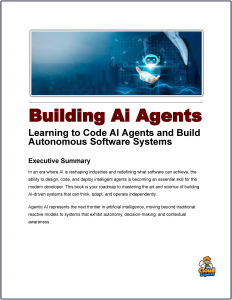 This tutorial provides a comprehensive, expert-level guide to building production-ready AI agents using AWS serverless technologies, the Strands Agents SDK, and the Model Context Protocol (MCP).
AI agents represent a shift from passive LLMs to autonomous systems capable of planning, reasoning, and acting on complex tasks.
By leveraging serverless compute for scalability, Strands for streamlined agent development, and MCP for modular tool integration, you can create robust, enterprise-grade agents with minimal overhead.
We’ll cover key concepts, architecture, prerequisites, step-by-step implementation (including code examples), advanced topics like multi-agent systems and multimodal capabilities, best practices, and deployment strategies. This draws from AWS best practices and hands-on examples to ensure your agents are scalable, secure, and efficient.
Key Concepts
AI Agents and the Agentic Loop
AI agents are goal-oriented systems that use LLMs to decompose tasks into steps, execute actions (e.g., API calls), and iterate based on results. The core mechanism is the agentic loop:
- Observe: Gather context from user input and memory.
- Plan/Reason: Use LLM to decide next steps.
- Act: Invoke tools or external services.
- Reflect: Feed results back into the loop until resolution.
This enables dynamic behavior, such as a travel agent booking flights while adhering to policies.
Serverless Computing on AWS
Serverless architectures (e.g., AWS Lambda, API Gateway) allow agents to run without managing infrastructure. Benefits include auto-scaling, pay-per-use pricing, and seamless integration with AWS services like Amazon Bedrock for LLMs. Agents become stateless functions, with state externalized to services like Amazon S3 for session persistence.
Strands Agents SDK
Strands is a lightweight, code-first Python SDK for building agents. It handles boilerplate like memory management, tool registration, and observability, allowing agents to run on Lambda, ECS, or locally. Key features:
- Modular design for composability.
- Built-in support for 40+ tools (e.g., image generation, web browsing).
- Integration with multiple LLMs (e.g., Bedrock, Anthropic).
Model Context Protocol (MCP)
MCP is an open standard for decoupling agents from tools via a client-server model. Agents act as MCP clients connecting to MCP servers that expose tools, prompts, and resources. This promotes reuse, versioning, and governance—e.g., a quiz service MCP server can be shared across agents without embedding logic.
Architecture Overview
A typical serverless AI agent architecture includes:
| Component | Role | AWS Service Examples |
|---|---|---|
| Compute | Run agent logic | AWS Lambda, Amazon ECS |
| LLM Access | Power reasoning | Amazon Bedrock |
| State Management | Persist sessions/memory | Amazon S3 (Vectors for semantic memory), DynamoDB |
| API Layer | Handle requests/auth | Amazon API Gateway, Cognito |
| Tool Integration | Execute actions | In-process tools (Strands) or remote (MCP servers on Lambda) |
| Observability | Monitor performance | CloudWatch, OpenTelemetry |
This setup ensures scalability: Agents scale horizontally, MCP servers handle tool logic independently, and serverless compute manages bursts in demand.
Prerequisites
- AWS account with access to Amazon Bedrock, Lambda, S3, API Gateway, and Cognito.
- Python 3.9+ and pip.
- Install dependencies:
pip install strands-agents strands-agents-tools boto3 fastapi uvicorn mcp - AWS CLI configured (
aws configure). - Familiarity with LLMs and Python.
For multimodal agents, enable Amazon Nova models in Bedrock.
Step-by-Step Guide to Building an AI Agent
Step 1: Set Up Your Environment
Create an S3 bucket for session storage:
aws s3 mb s3://your-agent-sessions --region us-east-1
Set up IAM roles for Lambda with permissions for Bedrock, S3, and other services.
Step 2: Build a Basic Agent with Strands
Start with a simple travel assistant agent.
from strands import Agent
from strands.models import BedrockModel
from strands.session import S3SessionManager

# Configure session manager for serverless persistence
session_manager = S3SessionManager(
    session_id="user_session_123",
    bucket="your-agent-sessions",
    prefix="sessions/"
)

# Define the agent
agent = Agent(
    system_prompt="You are a travel assistant that books business trips per company policy.",
    model=BedrockModel(model_id="anthropic.claude-3-5-sonnet-20241022-v2:0"),  # Use Bedrock LLM
    session_manager=session_manager
)

# Invoke the agent
response = agent("Book a flight to NYC next Monday and find a hotel under $200/night.")
print(response.text)
This agent uses the agentic loop to reason and respond, persisting state in S3 for follow-up queries.
Step 3: Add In-Process Tools
Extend the agent with custom tools using the @tool decorator.
from strands import tool

@tool
def get_weather(city: str) -> str:
    # Simulate API call (replace with real integration)
    return f"Sunny in {city} with 75°F."

@tool
def book_flight(destination: str, date: str) -> str:
    # Integrate with airline API
    return f"Flight to {destination} on {date} booked."

# Add tools to agent
agent = Agent(
    ...  # Previous config
    tools=[get_weather, book_flight]
)
The agent now autonomously calls tools during the loop.
Step 4: Integrate MCP for Remote Tools
Build an MCP server for reusable tools (e.g., a policy checker).
MCP Server (policy_mcp_server.py):
from mcp.server import FastMCP

mcp = FastMCP(name="Company Policy Service", host="0.0.0.0", port=8080)

POLICIES = {"hotel_max": 200, "flight_class": "economy"}

@mcp.tool()
def check_policy(category: str, value: float) -> dict:
    if category == "hotel" and value > POLICIES["hotel_max"]:
        return {"approved": False, "reason": "Exceeds budget"}
    return {"approved": True}

if __name__ == "__main__":
    mcp.run(transport="streamable-http")
Run: python policy_mcp_server.py
Connect Agent to MCP:
from strands.tools.mcp import MCPClient
from mcp.client.streamable_http import streamablehttp_client

mcp_client = MCPClient(lambda: streamablehttp_client("http://localhost:8080/mcp"))

with mcp_client:
    tools = mcp_client.list_tools_sync()
    agent.tool_registry.process_tools(tools)  # Add MCP tools to agent
Deploy the MCP server as a Lambda function for serverless operation.
Step 5: Add Multimodal Capabilities
Use pre-built tools for images/videos.
from strands_tools import generate_image, image_reader

agent = Agent(
    ...  # Previous config
    tools=[generate_image, image_reader]
)

response = agent("Generate an image of NYC skyline and describe it.")
For videos, integrate Amazon Nova via Bedrock.
Step 6: Implement Persistent Memory
Use S3 Vectors for semantic memory across sessions.
from strands.memory import S3VectorMemory

memory = S3VectorMemory(
    bucket="your-memory-bucket",
    index_name="agent-memory",
    embedding_model=BedrockModel(model_id="amazon.titan-embed-text-v2:0")
)

agent = Agent(
    ...  # Previous
    memory=memory
)

# Store and recall
memory.add("User prefers window seats.")
recalled = memory.search("Flight preferences")
This enables personalization, like recalling past trips.
Step 7: Deploy to Serverless Production
Use AWS Lambda for the agent and MCP server.
- Package code: Zip your Python files and dependencies.
- Create Lambda functions via AWS Console or Terraform.
- Front with API Gateway for auth (Cognito JWT).
- For managed runtime, use Bedrock AgentCore:
agentcore configure -e your_agent.py
agentcore launch
Monitor with CloudWatch: Track metrics like cycle time, token usage.
Advanced Topics
Multi-Agent Systems
Build collaborative networks:
- Swarm Pattern: Parallel agents for tasks (e.g., one for flights, one for hotels).
- Graph-Based: Define dependencies (e.g., book hotel after flight).
from strands import AgentGraph

graph = AgentGraph()
graph.add_agent(flight_agent)
graph.add_agent(hotel_agent, depends_on=[flight_agent])

response = graph.execute("Plan a trip to NYC.")
From the learning path, this enables complex workflows.
Security and Observability
- Auth: Use Cognito for user-aware agents.
- Sanitize inputs to prevent injections.
- Trace with OpenTelemetry: Strands auto-exports metrics (e.g., token counts, durations).
- Alerts: Set CloudWatch alarms for high costs.
Best Practices
- Development: Prototype locally, test with Jupyter notebooks, then deploy.
- Performance: Monitor token usage; use sliding window for memory.
- Scalability: Externalize all state; use MCP for tool modularity.
- Cost Management: Track via AWS Cost Explorer; optimize LLM calls.
- Error Handling: Implement retries and fallbacks in tools.
- Testing: Use RAGAS for evaluation; simulate multi-session scenarios.
Avoid tight coupling—design agents as composable units.
Conclusion
By combining serverless compute, Strands Agents SDK, and MCP, you can build scalable AI agents that handle real-world tasks autonomously. Start with basics, iterate to multimodal and multi-agent systems, and deploy confidently to production. For full examples, explore the referenced repositories and AWS documentation. This approach minimizes code while maximizing flexibility, making it ideal for enterprise AI development.