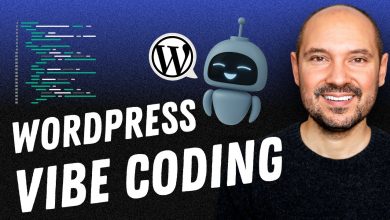
Vibe Coding with Gemini 3: From Loose Ideas to Production-Ready Apps
With a 1 million token context window, adaptive thinking modes, and top-tier performance on benchmarks like SWE-bench Verified (76.2%) and WebDev Arena (1487 Elo), Gemini 3 transforms vague concepts into robust applications faster than ever.

 In the fast-evolving landscape of software development, a new paradigm has emerged that’s as much about intuition as it is about implementation: vibe coding.
Coined by AI pioneer Andrej Karpathy in early 2025, vibe coding flips the script on traditional programming by letting developers—or even non-developers—describe their ideas in casual, natural language prompts.
Instead of wrestling with syntax, APIs, or debugging loops, you hand off the heavy lifting to an AI model, which generates functional code, iterates on feedback, and even deploys prototypes. It’s exploratory, forgiving, and profoundly creative, often described as “programming by chatting” where the “vibe” of your vision takes precedence over pixel-perfect precision.
Enter Gemini 3, Google’s latest flagship AI model released in November 2025, which has supercharged this approach. As the most advanced iteration in the Gemini family, Gemini 3 isn’t just a tool—it’s a collaborative partner that excels in multimodal reasoning, agentic workflows, and—crucially—vibe coding.
With a 1 million token context window, adaptive thinking modes, and top-tier performance on benchmarks like SWE-bench Verified (76.2%) and WebDev Arena (1487 Elo), Gemini 3 transforms vague concepts into robust applications faster than ever.
What Makes Gemini 3 a Vibe Coding Powerhouse?
Gemini 3 builds on the multimodal foundations of its predecessors (like Gemini 2.5 Pro) but pushes boundaries in ways that align perfectly with vibe coding’s ethos of speed and experimentation. Here’s why it’s a game-changer:
- Superior Reasoning and Agentic Capabilities: Unlike earlier models that might hallucinate or stall on complex tasks, Gemini 3’s “Deep Think” mode enables chain-of-thought reasoning at scale. It can autonomously break down a high-level prompt into steps—planning architecture, writing code, testing it via integrated tools like Code Execution, and refining based on outputs. This turns vibe coding from a “one-shot wonder” into an iterative loop that’s eerily close to human pair programming.
- Multimodal Magic for Visual Vibes: Vibe coding often starts with sketches or images. Gemini 3 handles uploads of wireframes, photos, or even hand-drawn doodles, analyzing them to generate UI code in frameworks like React or Flutter. Its visual reasoning scores outperform competitors on benchmarks, making it ideal for front-end prototyping where “it should feel modern and minimalist” is enough to kick things off.
- Integrated Tools and Grounding: Built-in support for Google Search grounding, URL context, and function calling means Gemini 3 can pull real-time data or APIs without you lifting a finger. For vibe coders, this eliminates the “now what?” phase—your app can fetch weather data or integrate Stripe payments just by mentioning the need.
- Efficiency for Real-World Scale: With pricing at $2 per million input tokens (preview tier), it’s cost-effective for rapid iteration. Plus, its default temperature of 1.0 encourages creative exploration without the determinism that stifles vibes.
In short, Gemini 3 embodies Karpathy’s vision: “Forget that the code even exists.” It tops leaderboards for coding agents, scoring 54.2% on Terminal-Bench 2.0, which tests terminal-based tool use—perfect for vibe coders who want to “run stuff and copy-paste stuff.”
Getting Started: Tools and Setup for Vibe Coding Mastery
To vibe code with Gemini 3, you’ll primarily use Google AI Studio, a browser-based playground that’s free for prototyping (with paid tiers for heavier use). Here’s a quick setup:
- Access Gemini 3: Head to aistudio.google.com and select “Gemini 3 Pro Preview” from the model dropdown. New users get $300 in credits via Vertex AI for enterprise-scale testing.
- Enable Key Features:
- Set
thinking_level: "high"for complex prompts. - Upload multimodal inputs (images, code snippets) directly.
- Integrate with Gemini CLI for terminal-based vibes: Install via
pip install google-generativeaiand authenticate with your API key.
- Set
- Deployment Flow: Use the built-in “Build Mode” to generate, preview, and deploy apps to Cloud Run with one click. Remix community templates from the app gallery for inspiration.
For advanced users, Vertex AI offers API access for custom integrations, while the Gemini app on mobile adds voice prompts for on-the-go ideation.
Step-by-Step Workflow: Vibe Your Way to a Working App
Vibe coding with Gemini 3 follows a loose, iterative cycle: Prompt → Generate → Test/Refine → Deploy. Let’s walk through building a simple “Personalized Recipe Suggester” app—a web tool that scans your fridge photo and suggests meals based on ingredients.
Step 1: The Initial Vibe Prompt
Start broad and descriptive. In AI Studio, type:
“Build a fun web app that lets users upload a photo of their fridge contents. Analyze the image to detect ingredients, suggest 3 easy recipes with what they have (plus one shopping item if needed), and display it in a cozy, illustrated card layout. Use React for the frontend, integrate a free API for nutrition info, and make it mobile-friendly. Vibes: warm, helpful, like a quirky home chef friend.”
Gemini 3 responds with a full codebase: HTML/CSS/JS structure, image upload handler, OCR via its multimodal engine, recipe logic powered by grounded search, and even inline comments like “Added cozy fonts—your users will feel right at home!”
Step 2: Multimodal Input and Iteration
Upload a sample fridge photo. Prompt: “Tweak the image analysis to handle dim lighting and add fun emojis to recipe cards.”
Gemini 3 refines the code, enhancing the vision model with adaptive preprocessing. It even simulates a run: “Here’s the output for your test image—detected: eggs, spinach, cheese. Suggested: Veggie Omelet! 🥚”
Step 3: Agentic Refinement
For deeper fixes, enable agent mode: “Debug why the nutrition API call fails on mobile and optimize for low-latency.”
Using its Code Execution tool, Gemini 3 runs the code internally, identifies a CORS issue, patches it, and suggests tests. Iterate 2-3 times—total time: under 15 minutes.
Step 4: Deploy and Share
Hit “Deploy to Cloud Run.” Gemini 3 generates a shareable URL. Remix it in the gallery for community feedback.
This workflow scales: From solo prototypes to team sprints, Gemini 3 handles 30k lines of code in context, making it viable for full apps.
| Workflow Stage | Gemini 3 Strength | Time Savings vs. Traditional Coding |
|---|---|---|
| Ideation & Prompting | Natural language to scaffold | 80% (no boilerplate) |
| Generation & Multimodal | Image/code synthesis | 70% (zero manual UI) |
| Iteration & Debugging | Agentic tool use | 60% (auto-tests) |
| Deployment | One-click to production | 90% (integrated hosting) |
Real-World Examples: Vibes in Action
- Non-Developer Delight: A marketing pro vibes a “Fridge Timer” app for kids’ lunches—upload photo, get timed reminders. Gemini 3 builds it in 20 minutes, no code knowledge required.
- Dev Productivity Boost: Refactor a legacy utils folder: “Organize this messy Python repo into modular services, add type hints, and optimize for async.” Gemini 3 delivers clean code with sassy comments: “Fixed the chaos—you’re welcome.”
- Enterprise Scale: Using Antigravity (Google’s agentic IDE), vibe a 3D retro game: “Code a spaceship shooter with physics and leaderboards.” It generates, tests in-browser, and deploys—topping WebDev Arena scores.
These aren’t toys; Y Combinator reports 25% of 2025 startups run 95% AI-generated codebases, with Gemini 3 leading the charge.
Best Practices: Elevate Your Vibe Game
To avoid the pitfalls of “pure” vibe coding (like un-reviewed hallucinations), blend intuition with rigor:
- Prompt Like a Pro: Be specific on vibes (“cozy, retro”) but loose on tech (“use whatever framework fits”). End with constraints: “Keep it under 500 lines, mobile-first.”
- Hybrid Human-AI: Always test outputs—run in a sandbox, review diffs. Use Gemini 3’s Structured Outputs for JSON schemas to enforce reliability.
- Handle Edge Cases: For production, ground prompts with “Include error handling for API failures” and iterate with “What breaks here?”
- Ethical Vibes: Prioritize safety—Gemini 3’s evaluations cover biases and security, but audit for your domain.
- Scale Smart: Start in AI Studio, migrate to Vertex AI for teams. Monitor costs; high-entropy prompts (temp=1.0) fuel creativity but rack up tokens.
Challenges and the Road Ahead
Vibe coding isn’t flawless. Outputs can be bloated or brittle without review, and over-reliance risks skill atrophy—Simon Willison calls unchecked AI code “abandonware.” Gemini 3 mitigates this with better instruction adherence, but human oversight remains key. As models evolve (hello, Gemini 4 rumors), expect deeper integrations like voice-driven vibes or real-time collab agents.
Conclusion: Ride the Vibe Wave
Gemini 3 doesn’t just enable vibe coding—it defines it, turning “what if?” into “here it is” with unprecedented intelligence and flair. Whether you’re a designer prototyping UIs, a dev accelerating sprints, or a newbie chasing that first app, this model democratizes creation like never before. Dive in at AI Studio, embrace the exponentials, and remember Karpathy’s wisdom: Sometimes, the best code is the kind you never see. What’s your next vibe? Prompt it into existence— the future of coding is conversational, creative, and cornered by Google.